
Agents
Create an agent in the AgentTrust console and choose how it is enforced.
Overview
An agent is an application or bot that AgentTrust governs. You register it in the console, pick an enforcement mode, and optionally start from a template.
The Agents page needs the admin role in the workspace. In a workspace where you are only a Member, the console shows "Access Denied. Required role: admin". Switch to a workspace you own first. See Workspaces.
Create an agent
Open Agents
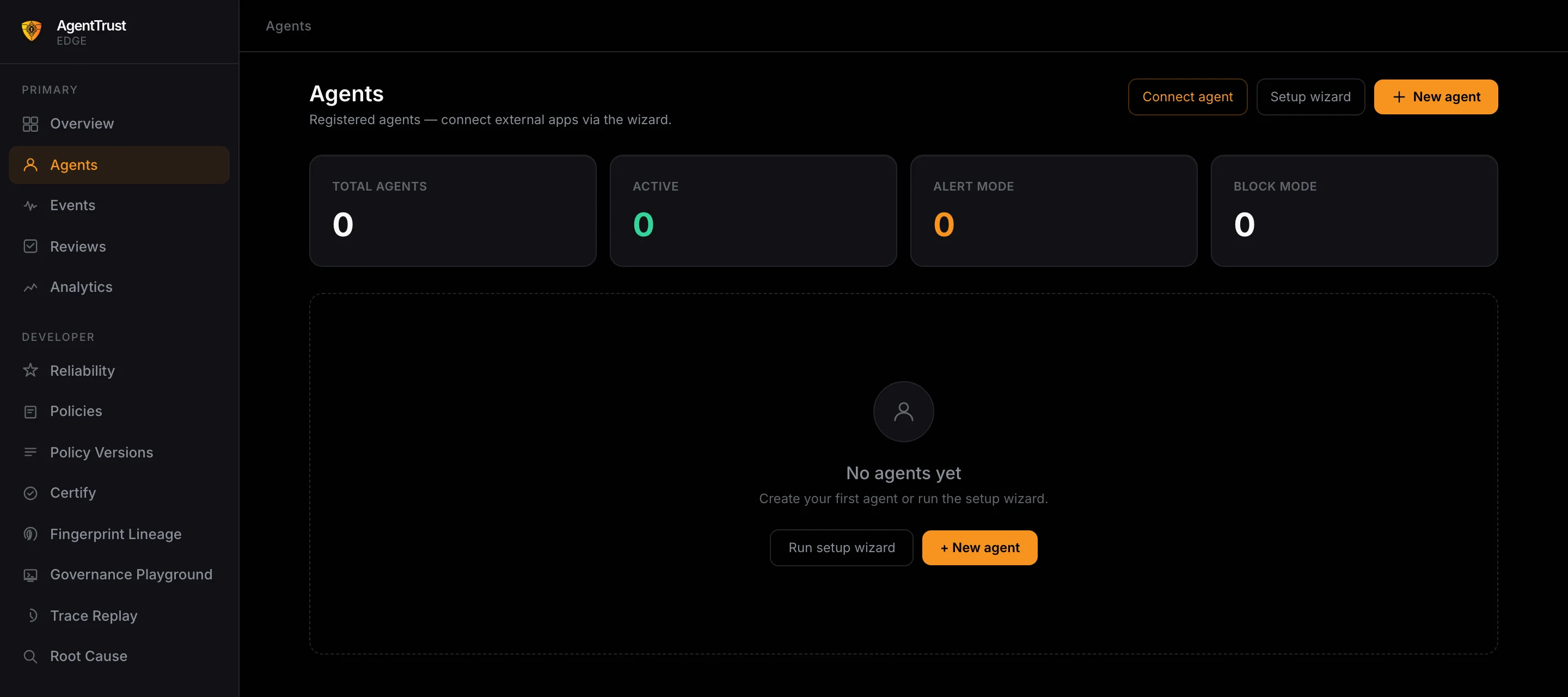
Click Agents in the left sidebar. A new workspace shows "No agents yet" and four counters: total agents, active, alert mode and block mode.
Click New agent
Click New agent at the top right, or in the empty state. A dialog opens.
Fill in the dialog
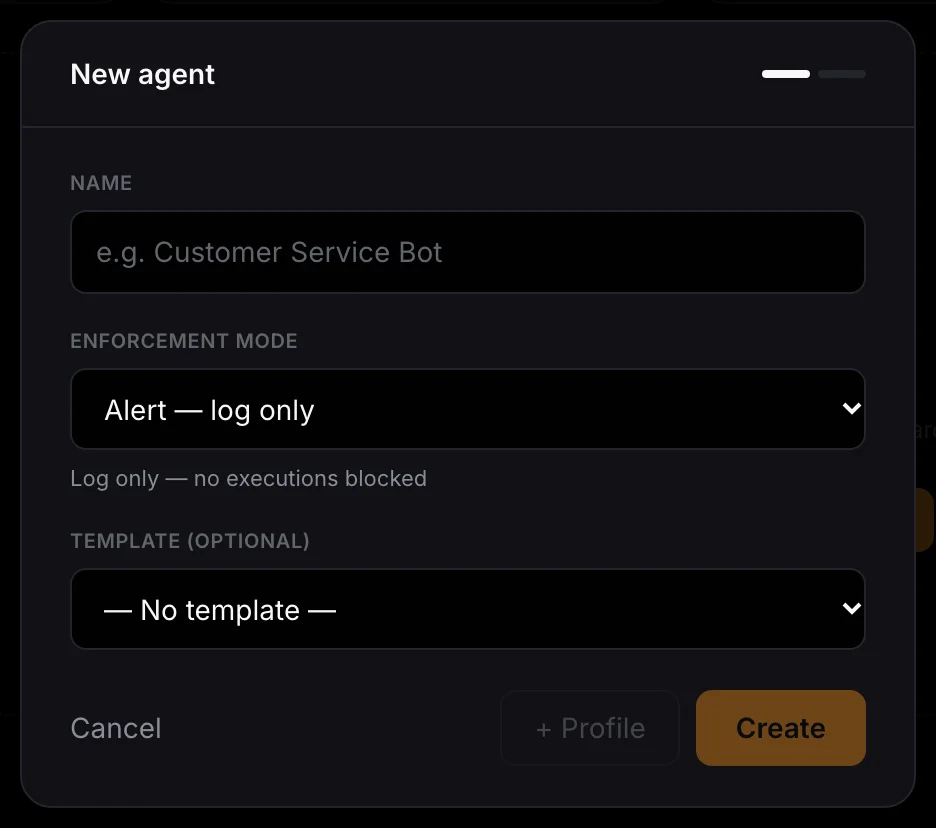
- Name: a label you will recognise, such as "Customer Service Bot".
- Enforcement mode: what happens when a call breaks a rule.
- Template (optional): start from a ready-made agent profile.
Click Create
Click Create to save the agent. Click Cancel to close the dialog without saving.
Enforcement modes
| Mode | What it does |
|---|---|
| Alert | Logs only. No executions are blocked. |
| Human Review | Queues the call for review. |
| Block | Blocks violations immediately. |
Templates
The template list offers Customer Service Agent, Research & Summarisation Agent, Coding Assistant Agent, Sales & Outbound Agent and Data Analyst Agent. Leave it on "No template" to start from scratch.
Connect an existing app
The Agents page also has Connect agent and Setup wizard buttons, for connecting external apps through the wizard.
Framework adapters
To connect an agent built with a framework, use its adapter:
Next steps
- Quickstart: run a governed agent from code.
- Harness: put
@harnesson each tool.