
Workspaces
Switch between workspaces and add a new one in the AgentTrust console.
Overview
A workspace is the space your agents, events and reviews live in. You work in one workspace at a time, and the console shows its name at the bottom of the left sidebar. Your role in a workspace (for example Owner or Member) decides which pages you can open.
The console is at console.agent-trust.tech. Sign in with email and password, an API key or SSO.
Switch workspace
Open the workspace menu
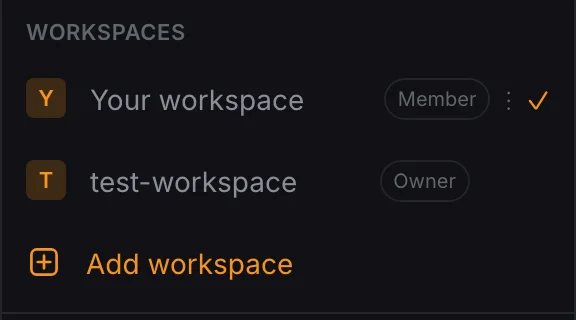
Click the workspace name at the bottom of the left sidebar. The menu lists every workspace you belong to, with your role next to each one. A check mark shows the workspace you are in now.
Pick a workspace
Click another workspace in the list. The sidebar and every page now show that workspace's data.
Add a workspace
Choose Add workspace
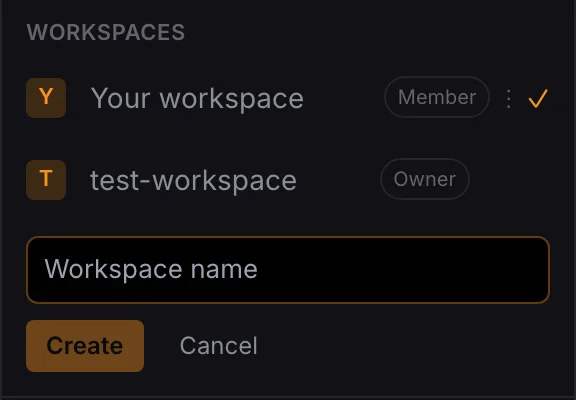
Open the workspace menu and click Add workspace. A name field appears inside the menu.
Name it
Type a workspace name, then click Create. Click Cancel to close the field without creating anything.
Next steps
- Create an agent in the workspace you just opened.